
Appearance
How-To: Link a Synonym to specific IDs
There may be situations where you want to connect a specific search term to a particular entity or entities, such as ensuring that a specific non-brand product is shown when searching for a brand. Typically, you should strive to include all relevant searchable data on the entity itself, and make use of Relewise's smart search to find the correct results for you.
However, in situations where adding the relevant data may not be feasible, you can instead create a shortcut with the use of a synonym rule, to link a specific search term with one or more entity IDs. Please note that this is considered a 'hack', and that we recommend that you use this for edge-cases or as a temporary solution before moving to a more sustainable, data-driven solution.
To set this up, you will need:
A search index that is set up to search in the IDs of the relevant entity type (for instance, if you want to connect a search to a specific product, the search index must include the Product ID as a searchable, indexed field).
Setting Up the Rule
To set up this rule, navigate to the Synonyms page under the Search header. Here, click the button to create a new synonym.
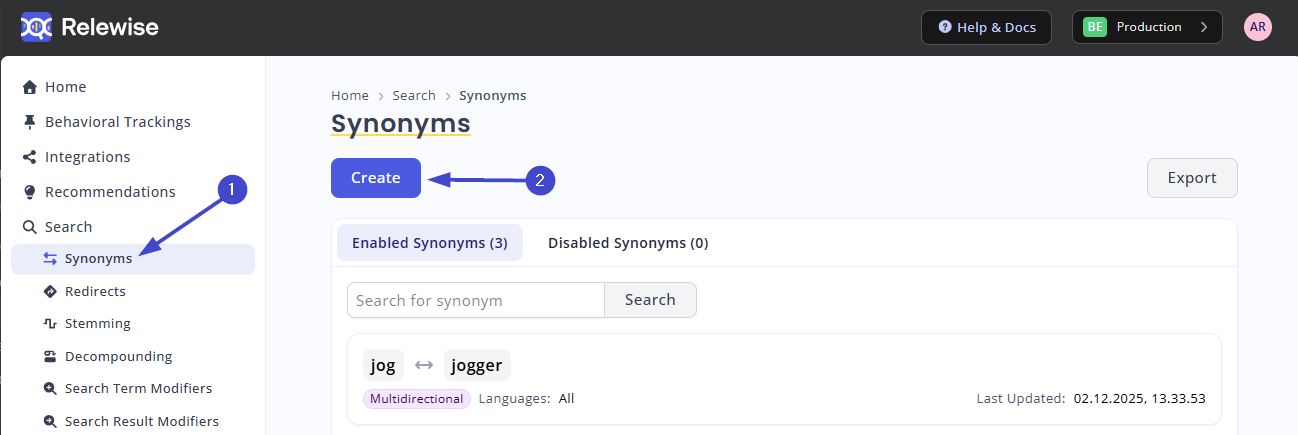
Create a new synonym.
Create the synonym as a One-way Synonym, and specify the To and From as follows:
- From your search term (e.g. "Nike")
- To your entity ID (e.g. id1, id2)
Note that you can have several From and To words, which means that you can point several different terms towards the same entity IDs at once. Just ensure that you are using a One-way synonym.
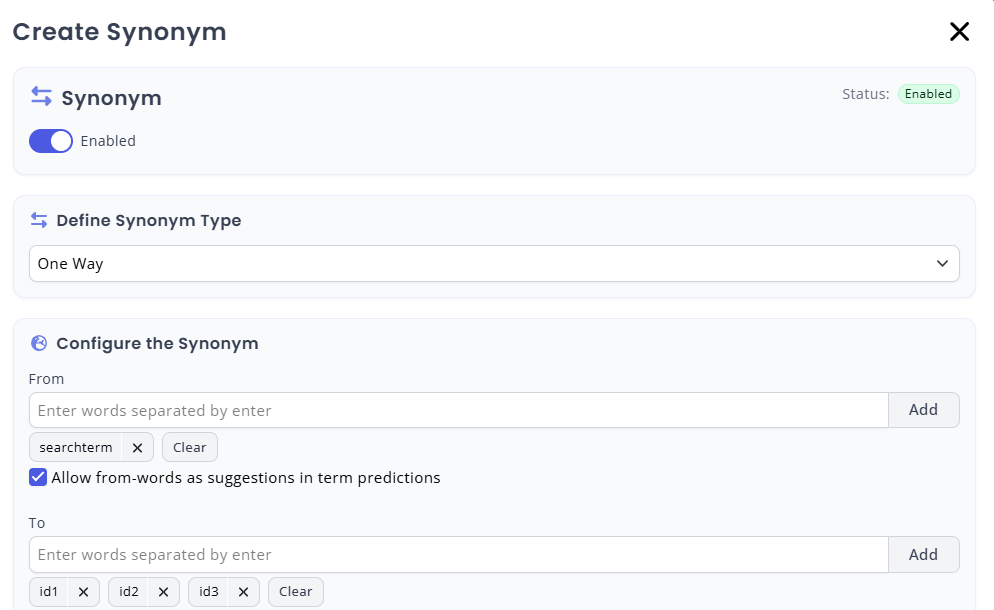
Populate your one-way synonym.
Selecting Languages
For datasets with multiple indexed languages, you can opt to specify that your synonym should only affect certain languages. This is useful for restricting the link between a search term and an ID to the specific country or language that you need. While setting a language is not necessary, it may help avoid unintended side-effects of your synonym, since synonyms affect all languages and all search types by default.
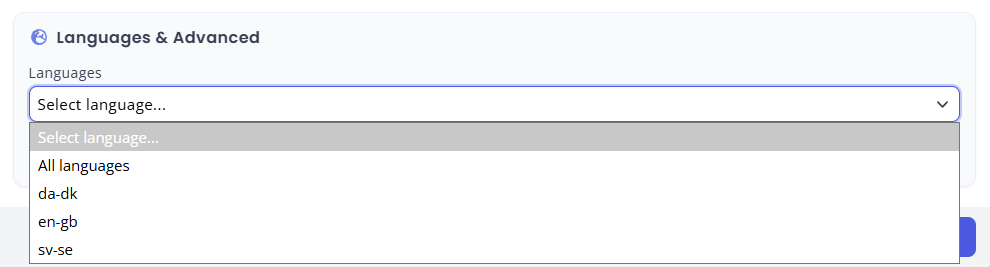
Specify languages to limit the scope of your rule.