Appearance
Shopify App: Recommendations
The Shopify app supports Relewise recommendations on storefront pages, in Customer Accounts, and in Shopify checkout.
Storefront Recommendations
On storefront pages, the Shopify app supports the following recommendation types out of the box:
Products
- Popular Products
- Purchased with Product
- Purchased with Multiple Products
- Recently Viewed Products
- Personal Products
- Products Viewed After Viewing Product
- Products Viewed After Viewing Content
Content
- Popular Content
- Personal Content
- Content Viewed After Viewing Product
- Content Viewed After Viewing Content
- Content Viewed After Viewing Multiple Products
To implement storefront recommendations, navigate to Theme Customization and choose the page where you want the Recommendations to go. From there, add the desired Recommendations to the page in the same way you would add any other Shopify Block to the section of your page:
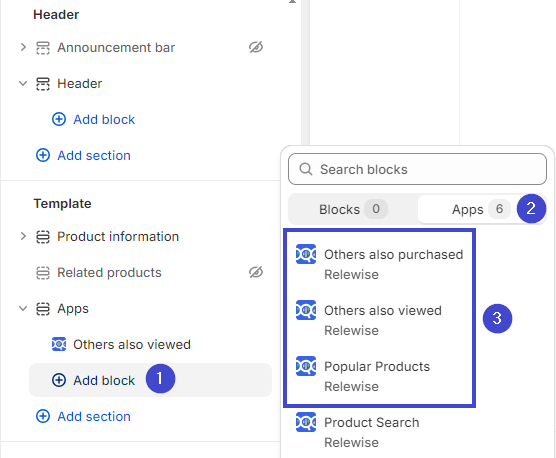
Once added to your page, configure the Recommendations by selecting it in the theme editor. The available settings are:
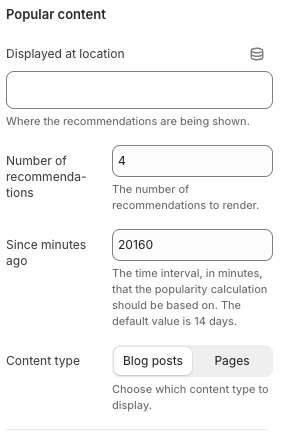
- Displayed At Location: Identifies where the Recommendations are displayed so Relewise can report on revenue, troubleshoot, and apply merchandising rules. Supplying clear locations is strongly recommended—reach out to our team if you need help defining them.
- Content Type: Choose whether the Recommendations should recommend Blog posts or Pages when using content-based Recommendations. See the Shopify native content card guide for more information about blog posts and pages.
- Since Minutes Ago: For Popular Products and Popular Content, set how many minutes of engagement history to use when calculating popularity (default is 20,160 minutes, i.e., 14 days).
- Number of Recommendations: Controls how many items appear in the Recommendations (default is 4).
After saving those settings, continue customizing your page as desired. Your shop will be ready to take advantage of Relewise's content and product Recommendations.
Recommendation Block Headings
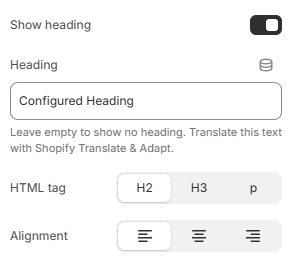
You can add a heading directly to a storefront recommendation block in the Shopify theme editor. The heading appears above the recommendations and is hidden together with the block when no recommendations are available.
Select the Relewise recommendation block in the theme editor and configure these settings:
- Show heading: Enable this to display a heading for the block.
- Heading: Enter the text to display, such as "Others also bought" or "Popular Products". Leave the field empty to show no heading.
- HTML tag: Choose
H2,H3, orpto fit the heading into your page's structure. - Alignment: Align the heading to the left, center, or right.
You can translate the heading text with Shopify Translate & Adapt. Save your changes when you have finished configuring the heading.
The heading is part of the recommendation block, so you do not need to add a separate Shopify heading block above it.
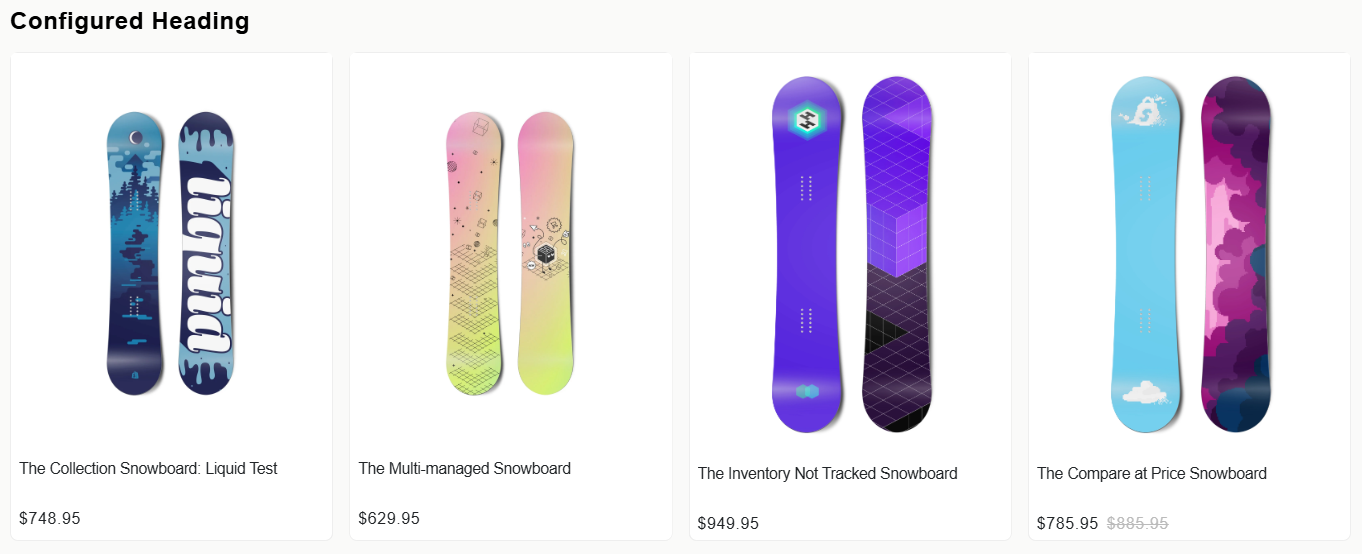
Customer Account Recommendations
You can also show Relewise recommendations inside Shopify Customer Accounts.
Customer Account Recommendations render as Relewise app blocks and use the Personal Products recommendation type to show products for the signed-in customer.
Supported Placements
The app currently supports these Shopify Customer Account placements:
- Profile page (
customer-account.profile.block.render) - Orders page (
customer-account.order-index.block.render)
Prerequisites
Before you enable Customer Account Recommendations:
- Install and connect the Relewise Shopify app to the correct Relewise Dataset.
- Complete the main Shopify app configuration.
Add Customer Account Recommendations
- Open the Shopify customer account editor.
- Choose the Customer Account placement you want to customize.
- Add the Relewise customer account app block.
- Save your changes.
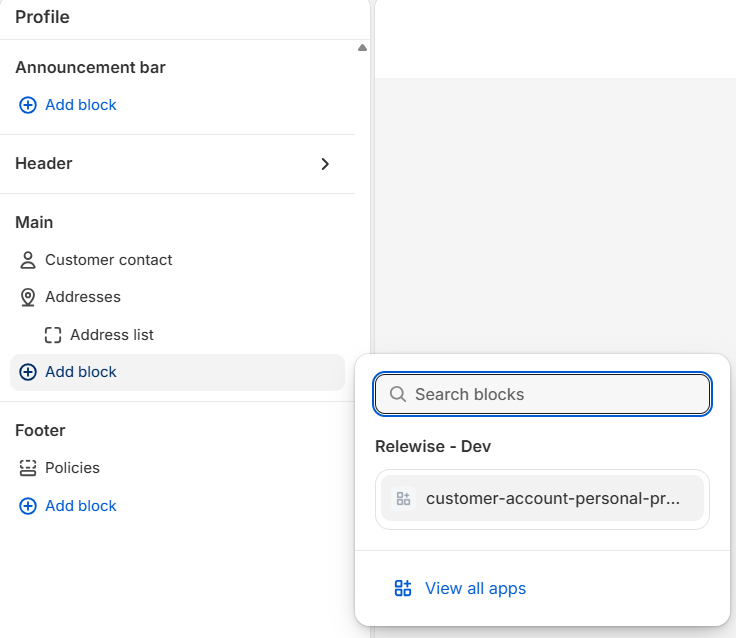
Configure Customer Account Recommendations
The customer account app block currently supports these settings:
- Number of recommendations: Controls how many products Relewise requests and renders. The default is
4. - Allow fill if necessary: Allows Relewise to fill with alternative products when needed to reach the requested amount. This is enabled by default.
- Render horizontally: When enabled, recommendations render in a horizontal card grid. When disabled, they render in a vertical list.
- Render variant subtitle: Shows the Shopify Variant title below the product title. This is enabled by default.
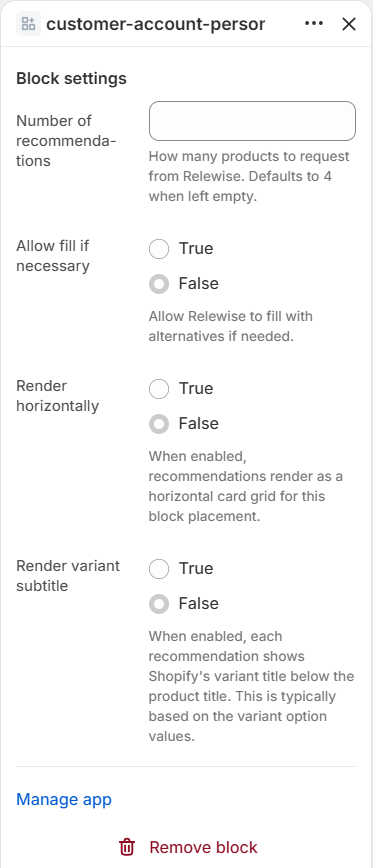
How Customer Account Recommendations Behave
- The block only requests recommendations for authenticated customers with marketing consent on the current customer account page.
- Relewise uses the authenticated Shopify Customer ID together with the current language and currency from Shopify Customer Accounts.
- If no recommendations are available, the block does not render.
- Rendered recommendations link directly to the Shopify product page and, when applicable, to a specific Variant.
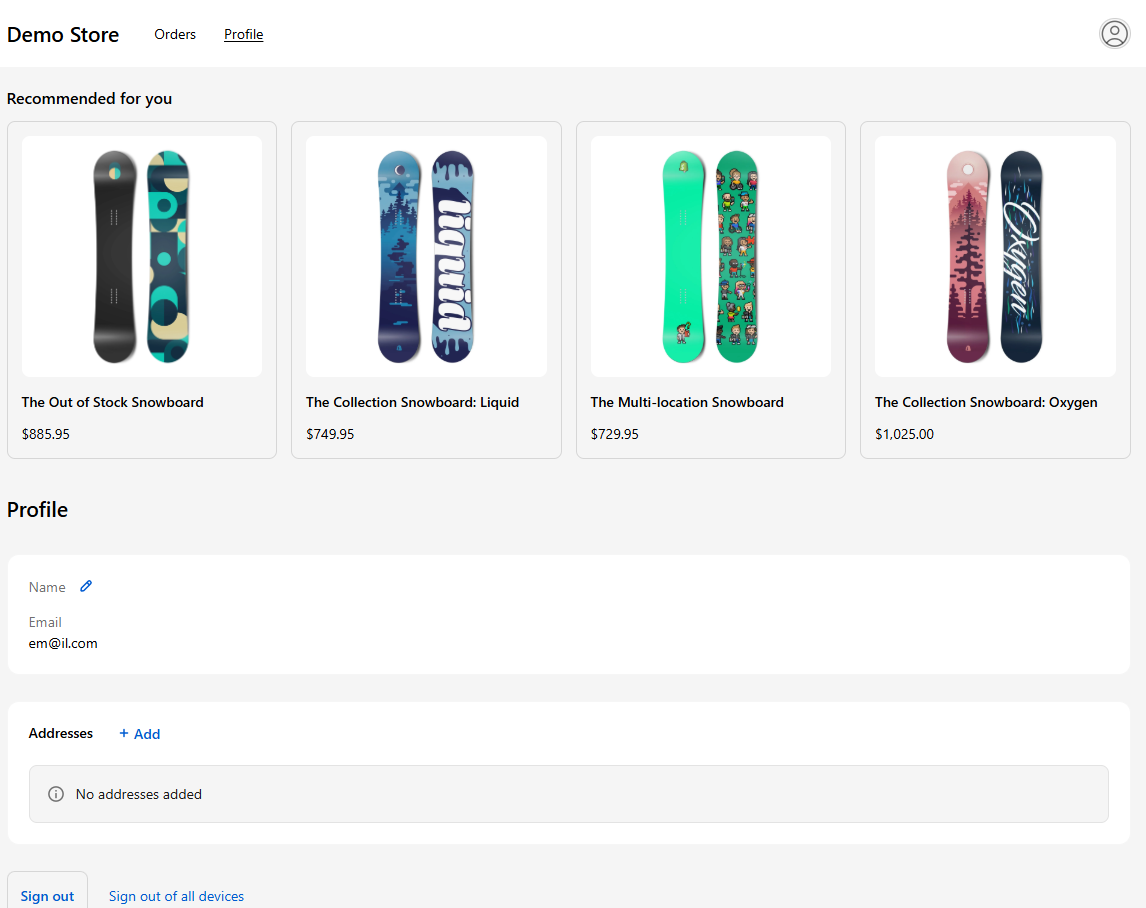
Checkout Recommendations
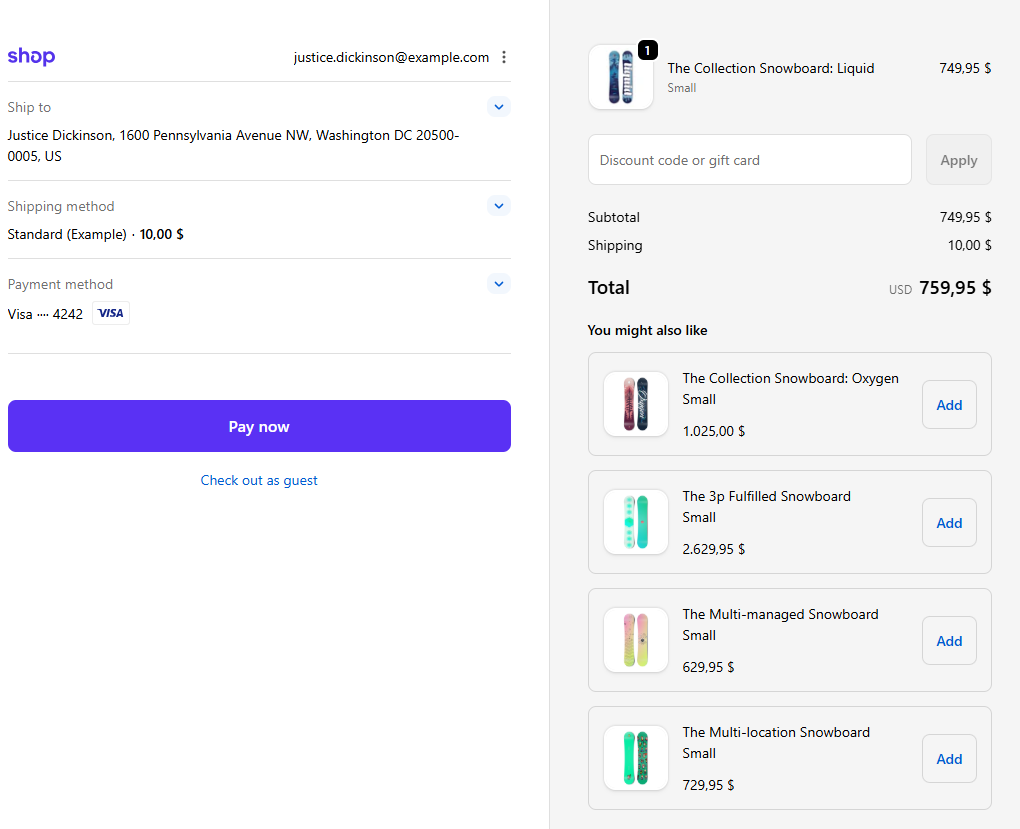
You can also show Relewise recommendations directly in Shopify checkout.
Checkout Recommendations render as a Relewise app block in the checkout order summary and use the PurchasedWithMultipleProducts recommendation type to suggest relevant products based on the shopper's current cart.
Prerequisites
Before you enable Checkout Recommendations:
- Install and connect the Relewise Shopify app to the correct Relewise Dataset.
- Complete the main Shopify app configuration.
Add Checkout Recommendations in Shopify Checkout
- Open your Shopify admin.
- Go to Settings -> Checkout.
- Open the checkout editor for the checkout configuration you want to update.
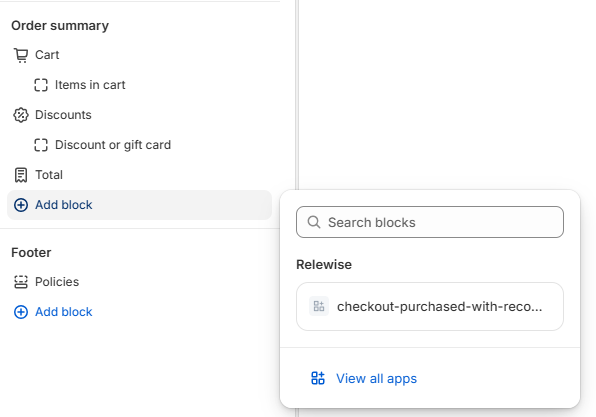
- Add the Relewise checkout app block in the order summary area.
- Save your checkout changes.
Configure Checkout Recommendations
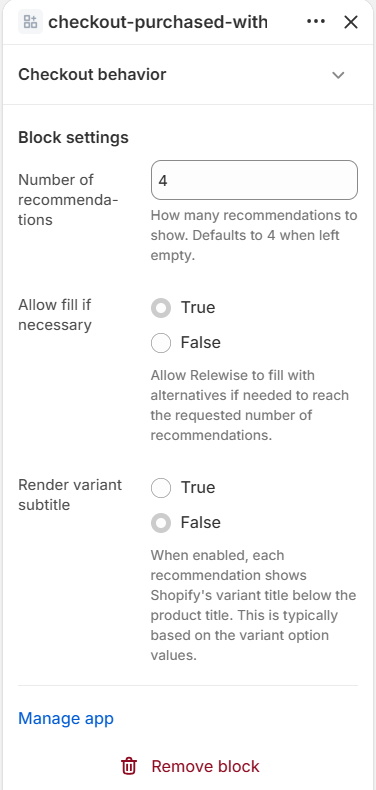
The checkout app block currently supports these settings in the Shopify checkout editor:
- Number of recommendations: Controls how many products Relewise requests and renders. The default is
4. - Allow fill if necessary: Allows Relewise to fill with alternative products when needed to reach the requested amount. This is enabled by default.
- Render variant subtitle: Shows the Shopify Variant title below the product title. This is enabled by default.
How Checkout Recommendations Behave
- The checkout app block only renders when there are recommendations for the current checkout.
- Each rendered recommendation can show the Shopify Variant title below the product title.
- When a shopper clicks Add, the selected Variant is added directly to the checkout cart.
- If Shopify rejects the add, the block shows an inline error on that recommendation.
- After a successful add, that recommendation is removed from the block.
Consent and User Context
Checkout Recommendations use Shopify checkout context when requesting recommendations:
- Checkout language
- Checkout currency
- Authenticated customer ID when available
- Relewise temporary ID when available from storefront tracking