
Appearance
Search
Search is one of Relewise's core products. Our search function supports searching in products and content entities, as well as product and content categories.
Relewise furthermore supports both "term-based" and termless searches, meaning that you can perform a search request for a specific keyword, or perform a search without a keyword, but with e.g., a filter applied instead. The former is used for the classic search function, while the latter is used to create product category pages on the basis of Relewise data.
The search engine uses the same personalization features as our recommendations, which means that we match not only on the textual closeness of a search term to the entity data, but also rank the search results on the basis of the tracked behavior of both the individual user and the userbase at large.
Relewise is a fully-fledged search engine, meaning that we support all the standard features of a search engine that can be expected today, such as faceting, sorting, filtering and pagination.
In addition, Relewise search requests can be batched to improve performance; we offer predictive search results, automated stemming and decompounding of search terms, and a highly customizable engine for tuning and adjusting the algorithms - resulting in fast, flexible and tailor-made searches.
Implementation details for Developers
See how to create searches via the API here
Product Search
Product Search looks in the data of your product entities to match on search terms. It is common to employ both term-based search and termless search for product search, to get the most out of what Relewise has to offer.
Product search can be configured to look not only at the data of the product entities themselves, but also the associated product categories (as defined by the category paths associated with the products), as well as the associated Brand. This allows your users, when configured correctly, to search for, e.g., Apple, and find all Apple-brand products, and/or products in Apple-related categories.
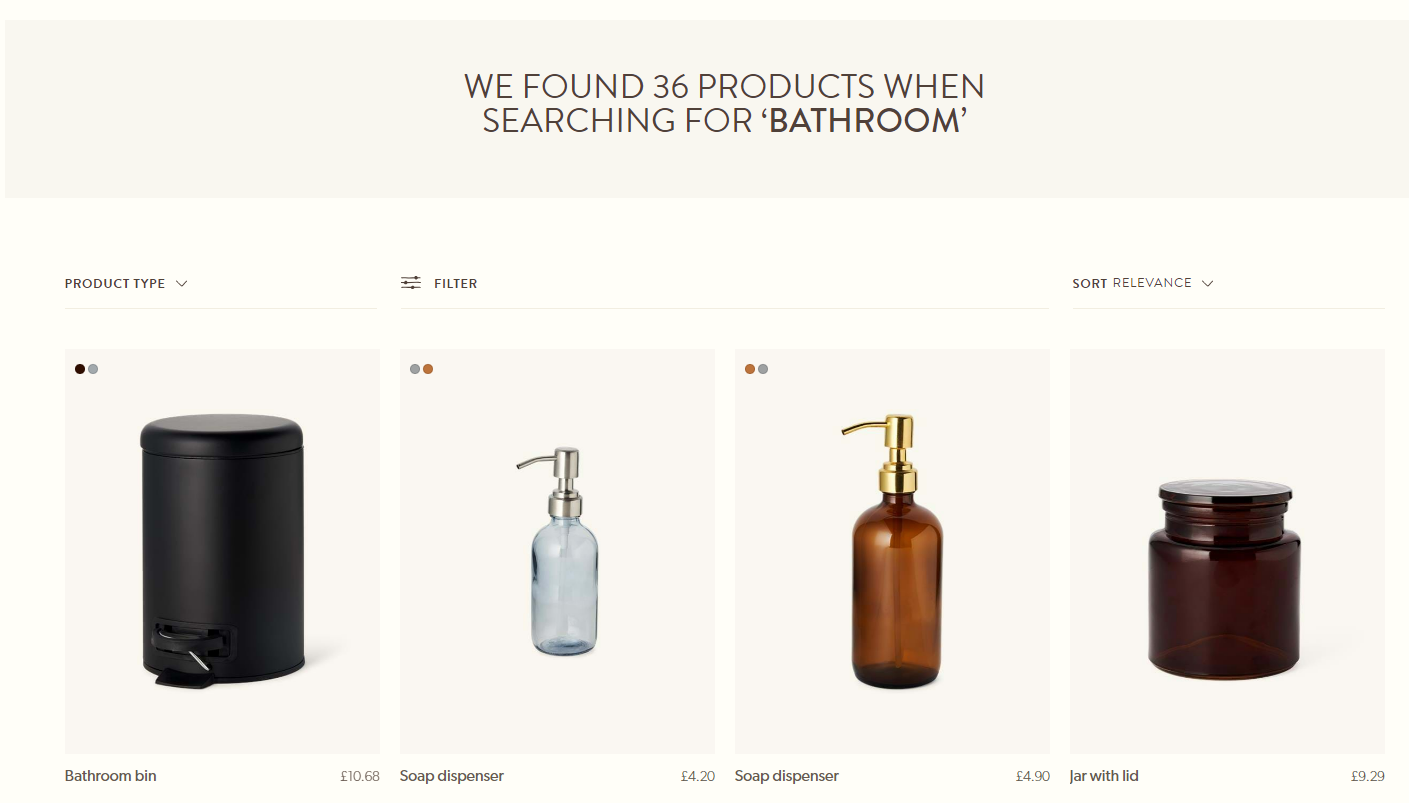
*Example of usage of the product search*
Historic Personalization Behavior
Relewise Search already uses behavioral tracking to personalize results on the basis of what a user has viewed, purchased, and otherwise engaged with. Historic Personalization Behavior extends this by also taking older view and purchase events into account when ranking search results.
This helps preserve a personalized experience for users who return after being away for weeks or months. Instead of feeling as though the engine has forgotten their interests, returning users can still be met with results influenced by their longer-term behavior.
Recent behavior still carries strong weight, but older behavior can continue to act as a background signal that improves ranking for known users over longer periods of inactivity.
If you want the feature to have more or less impact, or be disabled entirely, reach out to us via our support channels.
Example
A user who previously viewed and purchased running gear, then stays away from the site for several weeks, can still receive search results biased toward running-related Products when they return.
Number Tokenization for Dimensional Searches
Searches that include dimensions often appear in several textual variations, such as 10x10, 10 x 10, 10x10cm, or 10cmx10cm. Number Tokenization improves matching for these cases by identifying dimension-like sequences that contain numbers and units, and generating additional searchable variants from the indexed value.
For example, if a Product is indexed with a value such as 10x10cm or 10 x 10 cm, Relewise can expand it into searchable tokens such as 10, cm, 10cm, 10x10, 10x10cm, and 10cmx10cm. This allows users to find the same Product regardless of whether they include spaces, omit spaces, or attach the unit differently in the query.
This is especially useful in B2B, technical, industrial, and medical catalogs, where users often search by exact dimensions and where source data may represent the same measurement in different formats.
You do not need to manually index every common variation of the same measurement. Relewise handles common dimensional variants automatically, improving recall while still preserving precise matching for measurement-driven searches.
Contextual Prefix Matching
Contextual Prefix Matching improves Search by evaluating starts-with alternatives across multiple terms in a query, then using the full query context to identify the most relevant Product matches.
This helps when users search with incomplete Product IDs, dimensions, model names, sizes, or technical terms. For example, a query such as 0484 1/2 can match Products that start with 0484 while still taking 1/2 into account, instead of treating only the final term as the partial match.
It can also improve searches where the user enters the beginning of a name or model as part of a longer query, such as met gear solid. Relewise can evaluate whether a fuller term such as metal is a better match in the context of the other query terms.
Contextual Prefix Matching is especially useful for complex Product catalogs where users often search with partial identifiers, shorthand, dimensions, or technical attributes rather than complete descriptive names.
Semantic Matching
Semantic Matching allows Relewise to match a search term with indexed text by meaning, even when the user does not use the same words as the Product or Content data. For example, a search for sofa may match couch, and a search for vehicle may match Products described as car, truck, or bus.
Semantic Matching is useful when users search with synonyms, related concepts, or natural language phrasing that is difficult to cover with explicit rules. It is configured per field through the Search Index match types, which means you can choose exactly which indexed fields should support meaning-based matching.
Enable Semantic Matching deliberately. It works best on focused fields where semantic similarity is likely to indicate real user intent, such as DisplayName. Enabling it on too many fields, or on broad fields such as descriptions, can increase result noise because loosely related text may become eligible for matching.
Product Category Search
Product Category Search looks in the data of Product Category Entities to match with the search term. Notably, this is not a way to search for products on the basis of categories, but rather to find the categories themselves. To search for products on the basis of product category, you need to perform a productSearchRequest, and ensure that you have configured your search index to match on product category data.
Searching for product categories can be useful to show users more broadly applicable results. If, for instance, a user is searching for the word dresses, odds are that they will be interested in the categories that contain dress products. By guiding users to the categories themselves, you can help shape their journey towards relevant results.
Content Search
Content search looks in the data of Content entities, which refers collectively to things like articles, blog posts, informational pages, etc. Similar to Product searches, Content search can be configured to look both in the data of the content entities themselves, as well as the data contained within the associated content categories.
For situations where you wish to create a Content Listings Page (CLP), you can use a termless content search.
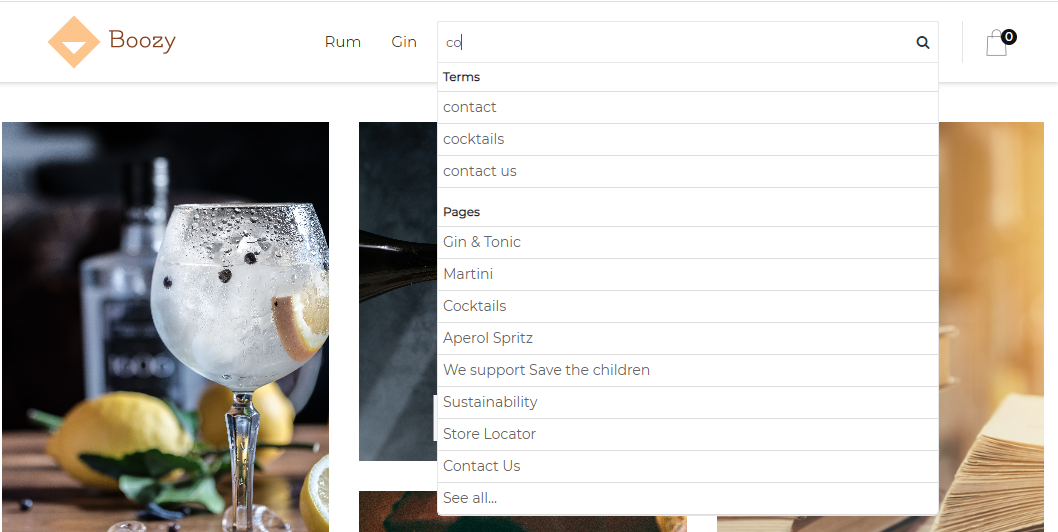
*Example of usage of the content search used to find content pages*
Content Category Search
Content Category Search looks in the data of Content Category Entities to match on search terms. Notably, this is not a way to search for content on the basis of categories, but rather to find the categories themselves. To search for content on the basis of content category, you need to perform a contentSearchRequest, and ensure that you have configured your search index to match on content category data.
Search Term Prediction
Search Term Prediction lets Relewise attempt to assist users in finding what they're looking for, by suggesting likely words on the basis of what has already been entered into the search bar. These predictions are based on the indexed information on the dataset, and you can define in the search index which datakeys you want to use for your search term predictions.
The idea with this feature is to assist and guide users towards more likely results; for example, when searching for a towel, the search prediction function might suggest more specific words like beach towel, kitchen towel, yoga towel, etc.

*Example of usage of the search term prediction*
For examples of how to implement Search Term Prediction, refer to our SDKs page.
Typical use case
Used in the global search field on your store to help users find relevant products, categories and/or content.
Term-based vs. Termless
When sending any type of Search request to the Relewise API, you can opt to supply a search term, or to leave it blank. The engine will behave differently in a few key ways depending on whether or not it has a search term, as described below. Both term-based and termless searches are applicable for all types of entity search, but termless searching is predominantly used for Product and Content search, as those are the most common types of category page to create.
Category Page vs. Category Entity
It is important to distinguish between a category page - what we call a Product Listings Page (or PLP) - and a Category Entity, which is sub-divided into either a Product Category Entity or a Content Category Entity.
Fundamentally, Category Entities are self-living objects that contain data, and which may be used to reference a category page on your frontend. They are related to the Category Path of product and content entities, but cannot be used to populate a category page by themselves; in essence, while a product entity might reference a product category entity, the product category entity does not reference the product(s) in return.
This means that Category Entities can be used to populate a list of categories (useful to suggest popular categories to a user), but cannot be used to create the PLP itself. For that, you need a Termless search, and a ProductCategoryId filter.
Term-based Search
Sending a term-based search (in which a search term is included) means that the Relewise engine will compare the search term with the data contained within the search index. This means that we will try to match the specified term with the data that exists on the relevant entities, and return the best matches. A term-based search is, then, your standard search feature.
For products specifically, if your search index has been configured for it, a term-based search can look for matches both in product data as well as variant data, and will attempt to match on both the most relevant product(s) as well as the most relevant variant(s). Both products and variants are also subject to the rules of relevancy, provided you are not overriding the default sorting logic.
Termless Search
Sending a Termless search (in which the search term in the request is empty) will return all entities on the dataset. This can be used alongside a relevant filter to create pages that display a list of entities - typically a Product Listings Page (or PLP) or its Content equivalent.
The benefits of using Relewise to create your PLPs are numerous. For one, it allows you to apply Relewise's native relevance sorting to your product categories, which means that your products will automatically be listed according to not only their popularity, but also to the direct relevance for the user. This relevance is, of course, saved and remembered during navigation, so that users don't lose their place on the page when they click on relevant products - read more about our Sticky Search here.
json
{
  "$type": "Relewise.Client.Requests.Search.ProductSearchRequest, Relewise.Client",
  "Skip": 0,
  "Take": 10,
  "Language": {
    "Value": "en-uk"
  },
  "Filters": {
    "Items": [
      {
        "$type": "Relewise.Client.Requests.Filters.ProductCategoryIdFilter, Relewise.Client",
        "CategoryIds": [
          "12"
        ],
        "EvaluationScope": "ImmediateParent",
        "TypeName": "ProductCategoryIdFilter",
        "Negated": false
      }
    ]
  }
}
An example of a Termless search filtering on Product Category ID 12
Creating PLPs with Relewise also allows you to apply faceting to your categories, which will let your users narrow the product listing down further on the basis of the data that you store within Relewise.
Creating PLPs with Relewise will furthermore allow you to apply Merchandising rules and Relevance Modifiers to the products, which allow you to modify the relative relevance of certain products for marketing purposes. You can, for instance, ensure that your category pages no longer display sold-out products, or nudge certain favorable products towards the top of the relevancy charts.
Lastly, using Relewise to create your PLPs is required for Retail Media.